Leafy
- Role
- UX Researcher, UX Designer
- Duration
- 6 Months
- Team
- Individual Project
- Tools
- Figma, Illustrator
- Platform
- Mobile App
Project Overview
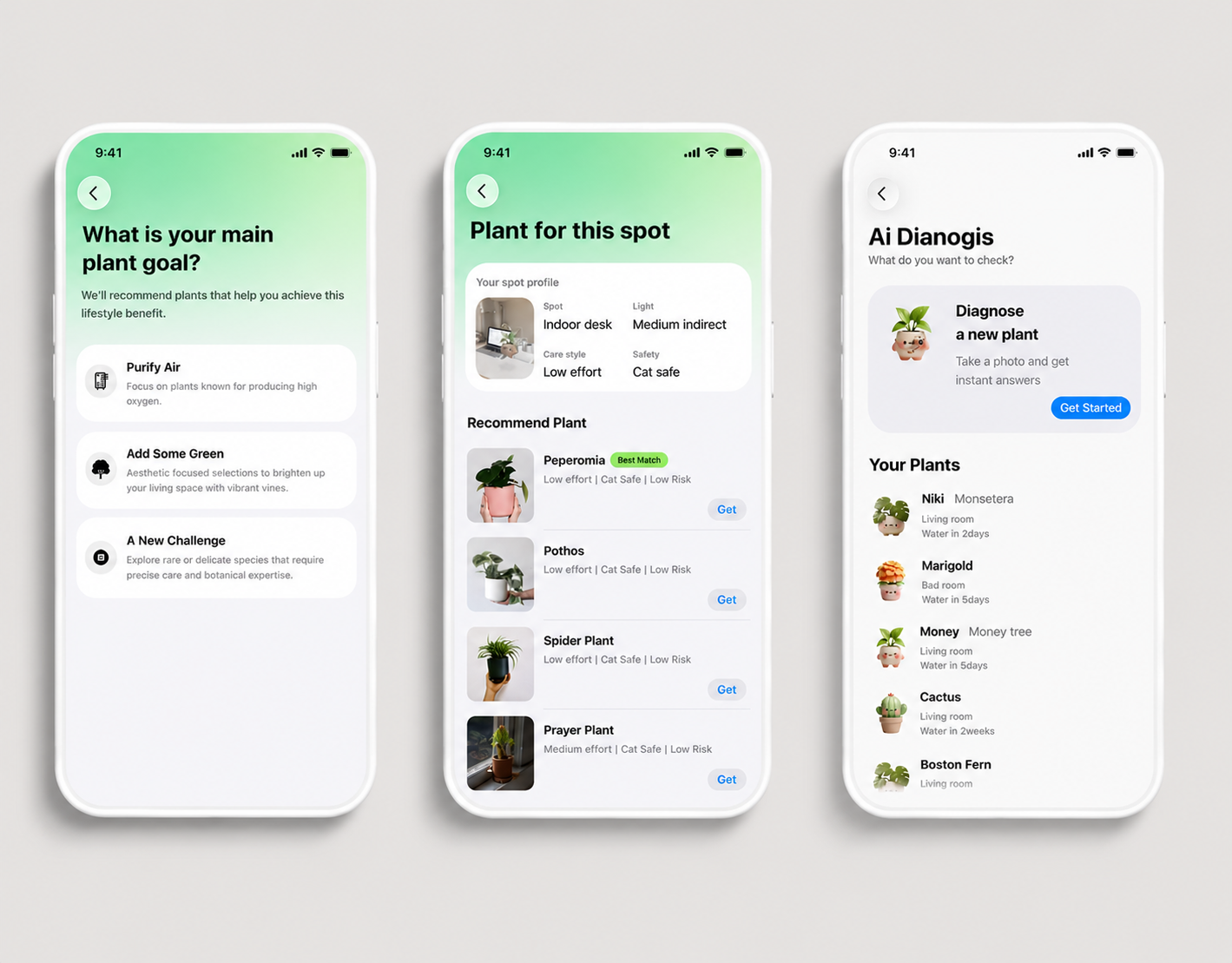
Leafy is a mobile plant management experience that helps plant owners understand their plants' health and take the right action at the right time. The experience transforms plant care into clear, actionable guidance through personalized recommendations, environmental insights, and timely reminders. I led the UX research, information architecture, UX/UI design, and interactive prototyping from concept to final prototype.
Context
Plant owners know they need to care for their plants. The challenge is knowing when.
Key Pain Points
Users have to remember when they last cared for a plant.
Users have to interpret moisture, light, and environmental conditions.
Users often notice problems only after they become visible.
Design Question
How might we help plant owners understand what their plant needs and take the right action at the right time?
Research
Research showed that care breaks down when users have to decide what to do next.
Research shifted the project from providing more plant-care information to providing more actionable, personalized guidance. Users needed a fast answer to what their plant needs now, not another dashboard of numbers to interpret.
Research Insights
Market growth and user pain pointed to a care-confidence gap.
Indoor Plant Market Growth
Projected growth from 2024 to 2032
$20.68B to $30.25B
→ More people are bringing plants into their homes.
Plant Care Challenges
70% of Gen Z plant owners have accidentally killed a plant.
→ Plant care feels stressful when users do not know what to do next.
Initial Assumption
Competitive analysis helped frame the first product direction.
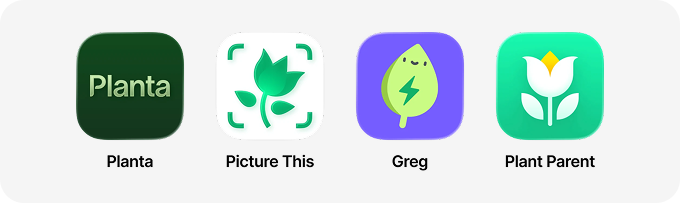
Common Patterns
- 01Watering reminders
- 02Care schedules
- 03Growth tracking
Key Observation
Existing apps tell users when to care, but not what to do when a plant's condition changes.
Initial Hypothesis
“The core problem is that users struggle to keep up with their plant care schedule.”
User Definition
Defining the plant-care user.
Primary User
Curious Beginners
20–35 · First-time Owners
Goals
- Learn plant care
- Build confidence
- Keep plants alive
Secondary User
Growing Plant Enthusiasts
Multiple Plants · Basic Experience
Goals
- Manage multiple plants
- Improve plant health
- Save time
Design Process
Designing a flow that turns plant data into action.
Research
- Interviews
- Market Analysis
- Competitive Analysis
Define
- Personas
- User Journey
- Design Opportunity
Ideate
- Information Architecture
- User Flow
- Wireframes
Prototype
- Visual Design
- Design System
- Interactions
Validate
- Usability Testing
- Iteration
- Final Prototype
*AI Integration
Meet your personalized PlantPal, a friendly companion for everyday plant care.
PlantPal uses expressive characters and glanceable widgets to help users understand plant conditions, celebrate healthy growth, and take the right action without interpreting technical data.
AI Plant Companion
Plant health, made more approachable.

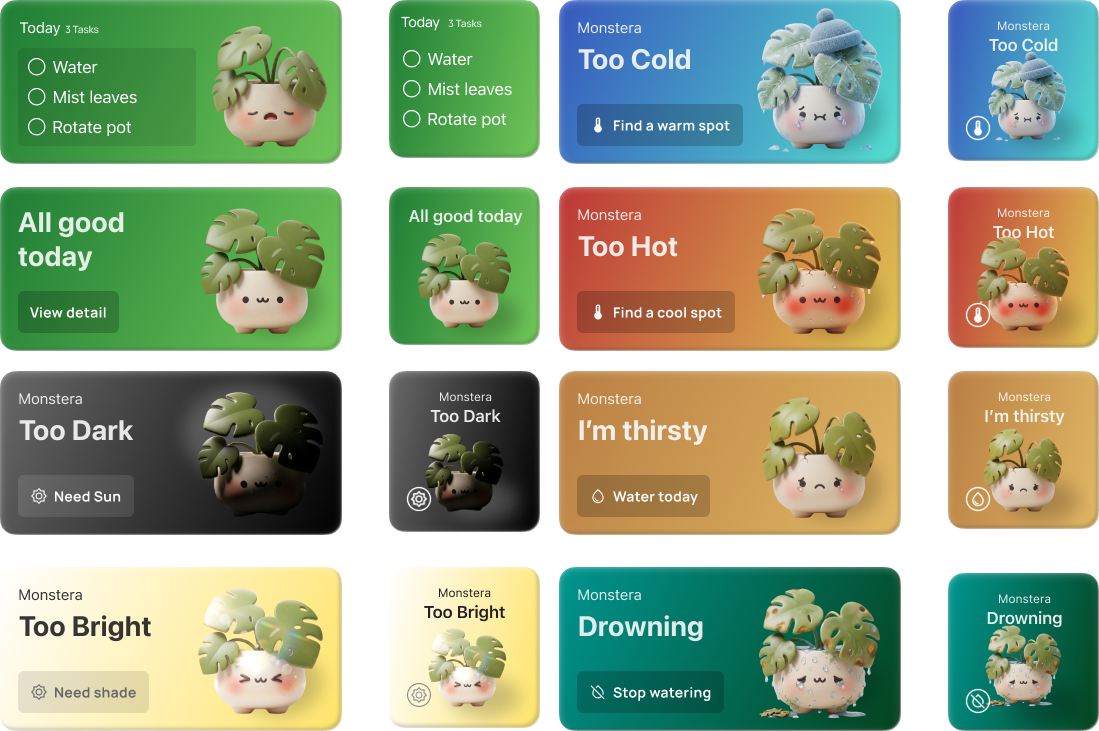
Plant care at a glance.
Each widget translates a plant condition into a clear status and recommended next step.
Final Solution
A connected care system from real-time status to timely action.
Leafy connects environmental data, soil signals, plant status, personalized recommendations, Today's Task, widget reminders, AI diagnosis, and community support into one continuous care experience.
Today's Task
- Challenge
- Plant care often gets forgotten when users have to open an app to check what needs attention.
- Design Decision
- Surface the most urgent care action through a compact widget that fits into the user's daily routine.
- Outcome
- Users can quickly see what to do next and understand the priority before entering the full app.
- Prioritizes one clear daily task
- Keeps care reminders visible
- Reduces the need to interpret raw plant data
Plant Profile
- Challenge
- Sensor readings can feel technical and difficult to translate into a real care decision.
- Design Decision
- Organize plant data into a readable profile that connects conditions, health status, and recommendation context.
- Outcome
- The profile helps users understand what is happening with their plant without turning the page into a dashboard.
- Groups plant health signals in one place
- Explains status through readable context
- Supports confident care decisions
AI Diagnosis
- Challenge
- When a plant looks unhealthy, users need help identifying the issue before choosing a treatment.
- Design Decision
- Create a guided scan flow that helps users capture symptoms and receive an understandable diagnosis.
- Outcome
- The AI diagnosis flow gives users a clearer path from uncertainty to action.
- Guides users through symptom capture
- Turns visual issues into next steps
- Keeps diagnosis focused and readable
AI Diagnosis Follow-up
- Challenge
- Diagnosis is only useful if the user knows what to do after receiving the result.
- Design Decision
- Connect diagnosis guidance to a follow-up care task so the recommendation becomes actionable.
- Outcome
- The experience closes the loop between AI support and practical plant care.
- Connects diagnosis to care planning
- Makes follow-up action easy to track
- Keeps AI support tied to user control
Results + Reflection
The final direction made plant care feel calmer and easier to act on.
The project evolved from a collection of plant-care features into a focused decision-support experience.
Data should reduce decisions.
The strongest experience came from translating complex real-time data into clear, timely, and actionable guidance.
Action matters more than information.
The project became clearer when it moved from “Here is your plant data” to “Here is what your plant needs today, and why.”
Care should fit existing routines.
Widgets and proactive reminders reduced the effort required to keep monitoring plants over time.